Club offer: New 4G GPS tracker
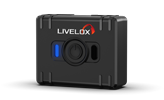 Our new, future-proof tracking model delivers even better precision and battery life. The obvious choice for live tracking - order it directly from the online store. Read more here.
Integrating your application with Livelox enables seamless transfer of route data, allowing athletes’ recorded movements to appear automatically within the Livelox platform. This guide outlines the concepts, authorization requirements, and API endpoints involved in submitting routes programmatically.
Authorization is needed to use the API. The routes.import scope should be utilized.
For further details, please refer to the main API documentation page.
POST https://api.livelox.com/importableRoutesEnqueues a route to be imported to Livelox. The request payload should be an importable route object with Content-Type: application/json. Note that the actual import happens asynchronously. During this operation, which typically takes 5-15 seconds, Livelox will try to match the route with available events, and if possible add it to it to the best matching class in such an event.
200 OK on success, 403 Forbidden on authorization failure.
{
    // your application's unique identifier for the route provided in the request, or a Livelox-generated unique identifier if none was provided
    // this value is always a string, also when you provided a numeric id value in the importable route object
    "id": "123456"
}
Store the id on your side. It can be used to check the status of the import process later on.
GET https://api.livelox.com/importableRoutes/{id}Retrieves metadata for an importable route. Use this endpoint to check the status of the import process.
200 OK on success, 403 Forbidden on authorization failure, 404 Not Found if the importable route is not found.
{
    // the status of the import
    // pending: the importable route has been received, but not yet imported
    // imported: the importable route has been imported
    // error: the importable route could not be imported for some reason; check the errorMessage property for further information
    "status": "imported",

    // the URL to view the route on top of an orienteering map in the Livelox viewer; only set when status is imported
    "viewerUrl": "https://www.livelox.com/Viewer/...",

    // the URL to show the route and its properties such as connection to an event and class in Livelox; only set when status is imported
    "showRouteUrl": "https://www.livelox.com/Sessions/Show/...",

    // the URL to edit the route and its properties, such as connection to an event and class in Livelox; only set when status is imported
    "editRouteUrl": "https://www.livelox.com/Sessions/Edit/...",

    // the name of the Livelox event that the route has been connected to, if any
    "eventName": "Sample event",

    // the name of the class in the Livelox event that the route has been connected to, if any
    "className": "Sample class",

    // the reason why the import of the route failed; only set when status is error
    "errorMessage": "Invalid route format"
}
{
    // your application's unique identifier for the route
    // if not set, Livelox will create its own unique identifier
    // can be an integer or a string of up to 48 characters
    // re-posting an importable route will overwrite any previous route with the same unique identifier
    // internally, Livelox will prepend the identity of the user posting the route to this identifier
    "id": 123456,

    // base64-encoded representation of the GPS route file
    // supported file formats: GPX, TCX, FIT
    "data": "PD94bWwgdmVyc2lvbj0iMS4wIiBlbmNvZGluZz0iVVRGLTgiPz4KPGdweCB2ZXJzaW9uPSIxLjEiIHhtbG5zPSJodHRwOi8vd3d3LnRvcG9ncmFmaXguY29tL0dQWC8xLzEiPgogICAuLi4KPC9ncHg+",

    // optional: the model name of the device/hardware that recorded the route
    "deviceModel": "Fancy Gadget X123",

    // optional: information about the person that recorded the route
    // only used when the request is made using an API key
    "person": {
        "firstName": "John",
        "lastName": "Doe"
    },

    // optional: the ID of the Livelox class to connect the route to, if known
    // to find out class IDs, use the GET https://api.livelox.com/events and/or GET https://api.livelox.com/events/{eventId} endpoints
    // if no class ID is provided, Livelox will compare the route with classes and their courses matching the time and geographical area of the route,
    // and if a good-enough match is found, the route is automatically connected to this class
    "classId": 123456
}
Our new, future-proof tracking model delivers even better precision and battery life. The obvious choice for live tracking - order it directly from the online store. Read more here.